Skip to content
  • 251-305-3636
  • salesteam@designandprocess.com
  • GET A QUOTE
  1. Contact
Design and Process Logo Select to return to home page
  • Services
    • SOLIDWORKS Subscription
  • Software
    • All SOLIDWORKS Software
    • Mechanical Design
    • Electrical Design
    • Structural Analysis
    • CFD Analysis
    • Data Governance
    • Technical Documentation
    • CAM / CNC
    • Injection Molding
  • Training
    • Mechanical Design
    • Simulation & Analysis
    • Data Management
    • Electrical Design
  • Government
  • Blog
  • Resources
  • About / Contact
  • 0
    $0.00
  • Services
    • SOLIDWORKS Subscription
  • Software
    • All SOLIDWORKS Software
    • Mechanical Design
    • Electrical Design
    • Structural Analysis
    • CFD Analysis
    • Data Governance
    • Technical Documentation
    • CAM / CNC
    • Injection Molding
  • Training
    • Mechanical Design
    • Simulation & Analysis
    • Data Management
    • Electrical Design
  • Government
  • Blog
  • Resources
  • About / Contact
  • 0
    $0.00
    
  1. Get a Quote
  2. Book a Consultation Call
$0.00 0 Cart
  • Services
    • SOLIDWORKS Subscription
  • SoftwareDesign Engineering Software
    • All SOLIDWORKS SoftwareDesign and Engineering Software featuring SOLIDWORKS SOLIDWORKS Software and the 3DEXPERIENCE Works portfolio unites your entire engineering team and downstream engineering data consumption. The SOLIDWORKS software eco system includes, Mechanical Design, Electrical Design, Revision Control, Project Management, CNC CAM, marketing, and documentation software.
    • Mechanical Design
    • Electrical DesignSOLIDWORKS Electrical Design Tools SOLIDWORKS Electrical Design packages are standalone, easy-to-use tools for electrical design. They let you efficiently map out electrical connections in complex systems. With SOLIDWORKS Electrical Schematic, you get an intuitive interface that simplifies complex tasks like cross-referencing contacts and creating terminal drawings. It speeds up product development by cutting down on the repetitive tasks involved in making electrical schematics. SOLIDWORKS Electrical 3D allows you to add electrical components and automatically connect them within a 3D model using SOLIDWORKS’ routing technology. It keeps 2D schematics and 3D models in sync, so any changes in one will automatically update in the other.
    • Structural AnalysisSOLIDWORKS Simulation Tool SOLIDWORKS offers integrated simulation analysis tools ranging from structural analysis and computational fluid dynamics to injection molding simulation. It also includes advanced, cloud-enabled capabilities powered by Abaqus. These tools are accessible for every designer, engineer, and analyst. Furthermore, SOLIDWORKS Simulation simplifies the process of predicting a product’s real-world physical behavior. It does this by virtually testing CAD models using Finite Element Analysis (FEA). The suite offers linear, non-linear, and dynamic analysis capabilities, making it a versatile choice. Similarly, SOLIDWORKS Flow Simulation provides an intuitive Computational Fluid Dynamics (CFD) solution. Integrated within SOLIDWORKS Design, it allows for the swift simulation of liquid and gas flows. This helps calculate product performance and capabilities efficiently. Lastly, SOLIDWORKS Plastics focuses on making simulations for analyzing plastic parts and injection molds easier to use. It predicts how melted plastic flows during the injection molding process. This helps in identifying manufacturing-related defects early on, allowing for quick evaluation of part manufacturability during the design phase.
    • CFD AnalysisSOLIDWORKS CFD Analysis SOLIDWORKS CFD Analysis solutions provide powerful computational fluid dynamics capabilities directly within your design environment, enabling engineers to analyze fluid flow, heat transfer, and related physical effects early and often in the product development process. Fully integrated with SOLIDWORKS, these tools eliminate the need for complex data translation, allowing you to iterate quickly, optimize performance, and reduce costly physical prototyping. The SOLIDWORKS CFD Analysis portfolio includes SOLIDWORKS Flow Simulation, SOLIDWORKS Flow HVAC Module, and SOLIDWORKS Electronic Cooling Module—each tailored to address specific engineering challenges such as internal and external airflow, HVAC system design, and thermal management of electronic components. These solutions enable detailed visualization of flow patterns, temperature distribution, and pressure characteristics, empowering teams to validate designs, improve efficiency, and ensure reliability.
    • Data GovernanceProject Management Solutions Now more than ever it is important for manufacturers to develop repeatable processes that secure intellectual property and ensure data integrity. Safely storing and sharing it provides your stakeholders with a secure space to collaborate, iterate, and innovate on real-time data, accessible anytime and from anywhere. Project Management document control: Powerful search capability lets you easily find files—fast. Version control ensures you always have access to the most up-to-date files. You control who has access to data and documents. Store CAD models and documents—anything from emails to images—in an indexed central repository on the company’s server that tracks versions and automates workflows. With SOLIDWORKS PDM, you’re in control. Project Management control: SOLIDWORKS Manage is an advanced, record-based data management system that extends the global file management and application integrations enabled by SOLIDWORKS PDM Professional to include a comprehensive set of capabilities that you can use and distribute to many areas of your business.
    • Technical DocumentationDesign Documentation Beyond Just Drawings Turn your 3D designs and development info into top-notch visuals, engaging 3D content, and real-looking images for sales, marketing, and making things. With SOLIDWORKS Composer, you can take your 3D engineering models and make easy-to-understand graphics. These help explain how things work or are put together. This is great for making assembly instructions, product guides, setup steps, repair manuals, training materials, marketing pamphlets, and sales proposal kits. Try SOLIDWORKS Visualize to turn your 3D CAD data into stunning, realistic visuals easily and quickly. This can range from pictures to animations, interactive online content, and even full Virtual Reality experiences. Make your products stand out. Think of SOLIDWORKS Visualize as your CAD data’s very own “camera”!
    • CAM / CNCManufacturing tools (CAM) SOLIDWORKS manufacturing tools include: SOLIDWORKS CAM Standard lets you quickly program individual milled parts and configurations without leaving the SOLIDWORKS Design environment. You have full access to defining rules within SOLIDWORKS CAM to create and build to your company standards and Tolerance-Based Machining (TBM). With SOLIDWORKS CAM Professional, you can take your programming capabilities to the next level. This tool enhances SOLIDWORKS CAM Standard with features like High-Speed Machining (HSM), configurations, assembly machining, turning, and 3+2 programming. These features are designed to drive four- and five-axis machines, offering you enhanced productivity and efficiency. SOLIDWORKS Machinist Standard provides all the functionality found in SOLIDWORKS CAM Standard plus a part-only modeling environment. This allows you to work seamlessly with SOLIDWORKS Part files and import several neutral file formats. This connectivity makes it easy to collaborate with customers and vendors on the manufacturing process. SOLIDWORKS Machinist Professional provides SOLIDWORKS CAM Professional capabilities with SOLIDWORKS Parts and Assemblies, allowing the user to import and design fixtures and other manufacturing components used in the machining process. By using Assembly mode in SOLIDWORKS CAM Professional, automatic toolpath clipping can ensure your programs do not collide with custom fixtures or vises.
    • Injection MoldingSOLIDWORKS Injection Molding SOLIDWORKS Injection Molding solutions provide advanced plastics simulation tools that enable engineers and designers to predict and optimize the manufacturing of injection-molded parts before tooling begins. Fully integrated within the SOLIDWORKS design environment, these solutions allow you to evaluate manufacturability, reduce defects, and improve part quality while minimizing costly mold rework and production delays. The SOLIDWORKS Injection Molding portfolio includes SOLIDWORKS Plastics Standard, SOLIDWORKS Plastics Professional, and SOLIDWORKS Plastics Premium—offering scalable capabilities from part-level analysis to advanced mold design validation. These tools provide insight into key factors such as fill patterns, cooling efficiency, warpage, and sink marks, enabling teams to optimize gate locations, runner systems, and cooling channel layouts for improved performance and consistency.
  • Training
        • CAM

          SOLIDWORKS Computer Aided Machining (CAM) applications

          Data Governance

          Organize engineering data and workflows

          Electrical Design

          Integrate electrical and mechanical design
          CAM Software

          Injection Molding

          SOLIDWORKS Plastic Injection molding classes

          Mechanical Design

          3D modeling fundamentals through advanced techniques

          Simulation & Analysis

          Validate designs before you build

          Technical Communication

          SOLIDWORKS Technical Publication and Quality Control documentation
        • Popular Classes

          SOLIDWORKS Essentials

          Topics covered are: sketching, multi-contour sketching, reference geometry creation, design…

          View Full Schedule

          SOLIDWORKS Simulation Essentials

          Topics covered in this course are: introduction to FEA; FEA…

          View Full Schedule

        • View Full Training Schedule

          Need custom team training? Contact us

        • Mechanical Design
        • Simulation & Analysis
        • Data Management
        • Electrical Design
  • Government
  • Blog
  • Resources
  • About / Contact
  • 0
    $0.00
Design and Process Logo Select to return to home page
$0.00 0 Cart
8 events found.

Online (Live, Instructor-Led)

« All Events
Phone +12513053636
Website https://www.designandprocess.com

Events at this venue

Today
  • May 2026

  • Mon 4
    Select to learn more about Solidworks Simulation Essentials training

    SOLIDWORKS Simulation Essentials

    May 4, 2026 @ 8:00 am – 4:00 pm CDT
    Online (Live, Instructor-Led)

    Topics covered in this course are: introduction to FEA; FEA principles and theory; element quality; linear static analysis of parts; gap/contact and advanced assembly analysis; analysis setup and post-processing; evaluating FE convergence; limitations of linear analysis; load and boundary condition application; stress analysis with thermal loading; model and result validation; automatic report generation.

    Read More
    $1,455.00 – $1,550.00
  • April 2026

  • Thu 30
    Select to learn more about Solidworks Simulation Professional training

    SOLIDWORKS Simulation Professional

    April 30, 2026 @ 8:00 am – 4:00 pm CDT
    Online (Live, Instructor-Led)

    Topics covered in this course are: heat transfer analysis, steady state, and transient; frequency analysis; effect of in-plane loading on thin-walled structures; structural failure under compressive loads; buckling of elastic structures; meshing options; drop testing; fatigue; optimization.

    Read More
    $585.00 – $625.00
  • Mon 27
    Select to learn more about Solidworks Simulation Essentials training

    SOLIDWORKS Simulation Essentials

    April 27, 2026 @ 8:00 am – 4:00 pm CDT
    Online (Live, Instructor-Led)

    Topics covered in this course are: introduction to FEA; FEA principles and theory; element quality; linear static analysis of parts; gap/contact and advanced assembly analysis; analysis setup and post-processing; evaluating FE convergence; limitations of linear analysis; load and boundary condition application; stress analysis with thermal loading; model and result validation; automatic report generation.

    Read More
    $1,455.00 – $1,550.00
  • Mon 27
    Select to learn more about Solidworks Weldments training

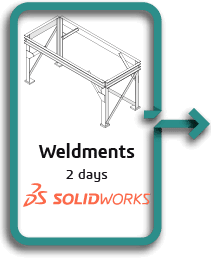
    SOLIDWORKS Weldments

    April 27, 2026 @ 8:00 am – 4:00 pm CDT
    Online (Live, Instructor-Led)

    Weldments teaches you how to create welded structures with standard
    structural members. Weld beads are also covered.

    Read More
    $810.00 – $865.00
  • Fri 24
    Select to learn more about Solidworks Inspection training

    SOLIDWORKS Inspection

    April 24, 2026 @ 8:00 am – 4:00 pm CDT
    Online (Live, Instructor-Led)

    Learn the basics of working with SOLIDWORKS Inspection to automate the process of working with inspection documents. In this course, you will work with both the add-in and standalone versions of the product.

    Read More
    $490.00 – $525.00
  • Thu 23
    Select to learn more about Solidworks Model Based Definition training

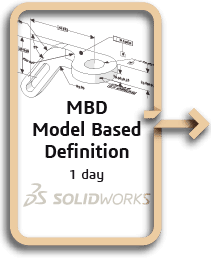
    SOLIDWORKS MBD

    April 23, 2026 @ 8:00 am – 4:00 pm CDT
    Online (Live, Instructor-Led)

    This course aims to teach you how to use SOLIDWORKS MBD to present product and manufacturing information (PMI) in a 3D PDF file. This course includes using DimXpert and annotation views combined with capturing and publishing 3D views.

    Read More
    $490.00 – $525.00
  • Mon 20
    Select to learn more about Solidworks DraftSight training

    DraftSight Essentials

    April 20, 2026 @ 8:00 am – 4:00 pm CDT
    Online (Live, Instructor-Led)

    This course aims to teach you how to use DraftSight to optimize your drawings and designs for manufacturability so you can maximize quality,
    avoid rework and decrease time to market.

    Read More
    $810.00 – $865.00
  • Mon 13
    Select to learn more about Solidworks Essentials training

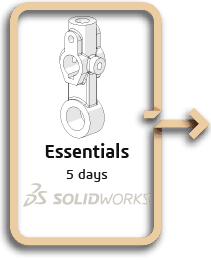
    SOLIDWORKS Essentials

    April 13, 2026 @ 8:00 am – 4:00 pm CDT
    Online (Live, Instructor-Led)

    Topics covered are: sketching, multi-contour sketching, reference geometry creation, design intent, feature creation, shelling, configurations, assemblies, drawings/detailing, editing, parent-child relationships, relations, rudimentary top-down design, and advanced
    mating techniques.

    Read More
    $1,960.00 – $2,090.00
  • Previous Events
  • Today
  • Next Events
  • Google Calendar
  • iCalendar
  • Outlook 365
  • Outlook Live
  • Export .ics file
  • Export Outlook .ics file
Design and Process Logo select to return to home page
  • SOLIDWORKS Software
  • Training
  • Start a Project
  • About / Contact
  • SOLIDWORKS Software
  • Training
  • Start a Project
  • About / Contact
  • +1 251-305-3636
  • LinkedIn
  • YouTube

Copyright 2022-2026 © All rights Reserved. Design by Design and Process LLC

Consent Preferences

Privacy Policy

Terms and Conditions

Your cart is currently empty.

Submit Quote Request

Request a Quote

Network vs. Standalone

A Network license allows multiple users to share a pool of licenses across a network, while a Standalone license is tied to a single computer and can only be used by one user at a time.

  • If you are a sole user or prefer to have dedicated licenses for each machine, a standalone license will likely be the best option. However, for teams that need to share licenses across multiple users or locations, network licenses offer greater flexibility.


Term vs. Perpetual

With a perpetual license, you own the software and can use it forever, while with a term license, you only have access to the software for the duration of your subscription period. 

  • If you have stable design needs, a predictable budget and want to own the software outright, perpetual is your best option. For companies with fluctuating project needs who want lower upfront costs and flexibility to adjust their software usage, term licenses are your best option.

Request Government Quote

TrainingGovernmentQuote

Event Registration

Design and Process Logo select to return to home page
  • Services
    • SOLIDWORKS Subscription
  • Software
    • All SOLIDWORKS Software
    • Mechanical Design
    • Electrical Design
    • Structural Analysis
    • CFD Analysis
    • Data Governance
    • Technical Documentation
    • CAM / CNC
    • Injection Molding
  • Training
    • Mechanical Design
    • Simulation & Analysis
    • Data Management
    • Electrical Design
  • Government
  • Blog
  • Resources
  • About / Contact
  • 0
    $0.00
0